
Keyboard-first Quick Paste
Open recent history, search, move through results, preview, and paste without switching to a full management window.
 Private by default · Native for macOS
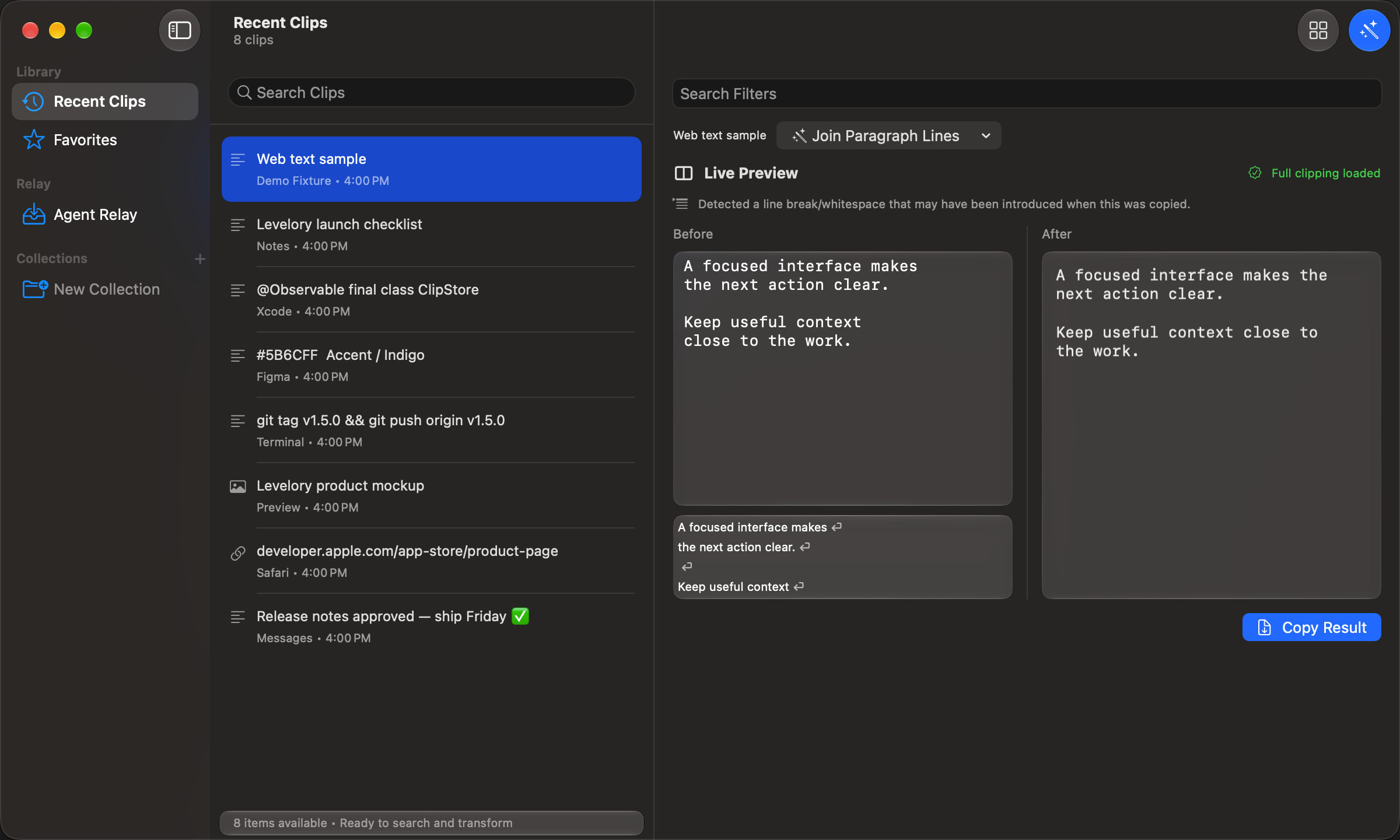
Levelory is a local clipboard manager for Mac. Turn copied web text into reusable paragraphs: choose a filter, check the preview, and copy the result into your notes or draft.
US $0.99 download · Local App Store pricing applies elsewhere · Requires macOS 14 or later · The paid download includes all core features and a weekly Quick Paste allowance. Optional subscriptions remove only that allowance; higher daily usage uses it faster.
Built for the daily loop
Levelory keeps the default path simple, then offers more control only when you ask for it.
Open recent history, search, move through results, preview, and paste without switching to a full management window.
History stays on your Mac. Pause capture, exclude sensitive apps, and clear saved data through explicit controls.
Reuse a clip as Auto, Plain, Rich, or Markdown output, and line up multiple items when a task needs a deliberate sequence.
How it works
Synthetic English example with intentional line breaks. The result is plain text; you choose the transformation.
Copy the example text below, or select a text clip in your history after setup.
Choose “Join Paragraph Lines”. Compare the before and after panes; blank lines keep paragraphs separate.
Use “Copy Result”, then paste the plain text into your notes or draft. Save repeated steps as a recipe in the Filter Library.
Sample data · not a recording of the app
A focused interface makes
the next action clear.

Keep useful context
close to the work.A focused interface makes the next action clear.
Keep useful context close to the work.Privacy boundary
Levelory does not require an account or cloud sync for clipboard history. Capture starts only after onboarding, and you remain in control of exclusions, pauses, and deletion.
Sending feedback is optional and online. Only the message, optional email, and basic browser and language diagnostics are sent after you choose Send feedback.
Mac App Store
Download Levelory from the Mac App Store and keep your clipboard workflow private and local.